
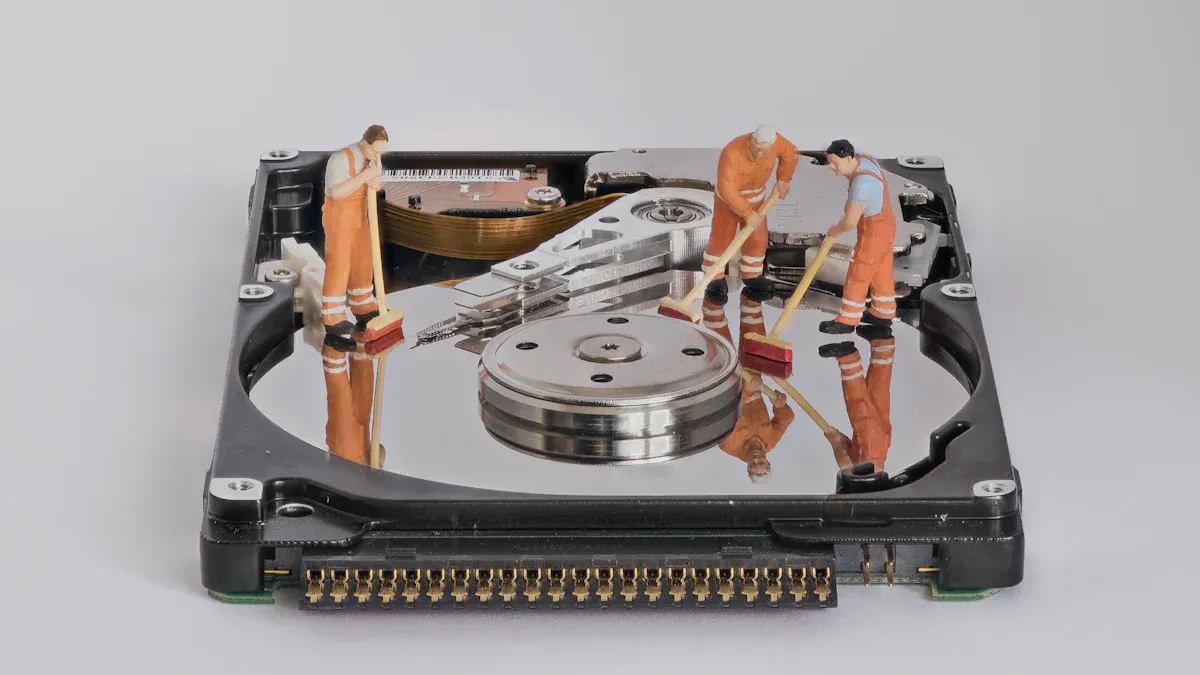
Your website’s speed significantly affects user satisfaction and search engine rankings. A cluttered database can slow down your site, leaving visitors frustrated and causing them to leave. While methods such as faster server response times and browser caching can enhance performance, using Advanced DB Cleaner to optimise your WordPress site provides an easy and efficient solution to ensure your website remains fast and responsive.
Key Takeaways
-
Improving your WordPress database makes your site faster and easier to use. This gives visitors a better experience and keeps them on your site longer.
-
Cleaning your database often stops problems from building up. It helps your site work well and lowers the chance of crashes or mistakes.
-
Advanced DB Cleaner Pro makes database cleaning simple. It is easy for beginners and saves time with automatic cleanups.
Understanding WordPress Databases

What is a WordPress database?
Your WordPress site relies on a database to store and manage all its essential data. This database acts as the backbone of your website, ensuring everything runs smoothly. It contains various components, each serving a specific purpose:
-
Posts and Pages: These store the content you create.
-
Comments: Feedback left by your visitors.
-
User Information: Details about registered users, including usernames and passwords.
-
Settings: Configuration options that control your site’s functionality.
-
wp_posts: Holds all content types, such as posts, pages, and revisions.
-
wp_users: Stores user credentials and email addresses.
-
wp_options: Contains site settings and configurations.
Understanding these components helps you appreciate why wordpress database optimization is vital for maintaining a fast and efficient website.
Common causes of database bloat
Over time, your database can accumulate unnecessary data, leading to bloat. This often happens due to:
-
Spam and trashed comments.
-
Excessive post revisions.
-
Metadata from posts and comments.
-
Unused settings from outdated plugins.
-
Large log files and unoptimised tables.
-
Temporary data, such as transients.
These issues can slow down your site, making wordpress database optimization essential to keep your website running smoothly.
How database issues affect website performance
A bloated database can significantly impact your website’s speed and responsiveness. When your database is cluttered, it takes longer to retrieve information, resulting in slower page load times. This frustrates visitors and increases bounce rates. Search engines also penalise slow websites, affecting your SEO rankings. By prioritising wordpress database optimization, you ensure a seamless user experience and maintain your site’s performance.
Benefits of WordPress Database Optimisation
Improved website speed and responsiveness
A well-optimised database ensures your website loads faster and responds more efficiently. When you perform a WordPress database cleanup, you remove unnecessary data that slows down your site. This allows your server to retrieve information quickly, improving speed. Visitors expect websites to load in seconds. If your site lags, they will leave and may never return. By focusing on database optimisation, you create a seamless browsing experience that keeps users engaged. Faster websites also consume fewer server resources, saving you money on hosting costs.
Enhanced SEO performance
Search engines prioritise fast-loading websites. A cluttered database can hurt your rankings by slowing down your site. When you optimise your database, you improve your website’s speed and overall performance, which search engines reward with better visibility. This means more traffic and higher chances of converting visitors into customers. Database optimisation also ensures your site remains stable during high traffic periods, further boosting your credibility in the eyes of search engines. If you want to enhance website performance and climb the search rankings, database optimisation is essential.
Long-term website health and maintenance
Regular WordPress database cleanup prevents long-term issues. Over time, unused data and outdated settings can cause errors or even crashes. By maintaining a clean database, you reduce the risk of technical problems and ensure your site runs smoothly. A healthy database also makes future updates and backups faster and more reliable. You save time and avoid costly repairs by addressing potential issues early. Database optimisation is not just about immediate benefits; it’s an investment in your website’s future.
Tip: Schedule regular database cleanups to keep your site running at peak performance.
Using Advanced DB Cleaner to Optimise Your WordPress Site
Installing and setting up the plugin
Installing Advanced DB Cleaner to optimise your WordPress site is straightforward. Begin by navigating to your WordPress dashboard. Go to the "Plugins" section and click "Add New". Search for "Advanced DB Cleaner Pro", then install and activate it. Once activated, you’ll find the plugin under the "Tools" menu. From there, you can access its intuitive interface to start your database cleanup journey.
Key features and functionalities
Advanced DB Cleaner Pro offers a comprehensive suite of tools to optimise database tables and enhance your website’s performance. Here’s a breakdown of its key features:
|
Feature |
Description |
|---|---|
|
Clean up Posts Table |
Deletes old revisions, auto drafts, and trash posts to reduce the size of the posts table. |
|
Clean up Comments Table |
Removes pending, spam, trash comments, pingbacks, and trackbacks to streamline the comments table. |
|
Clean up Orphaned Metadata |
Eliminates orphan post, comment, user, term metadata, and relationships. |
|
Clean up Expired Transients |
Removes expired temporary options from the database. |
|
Display & View Orphaned Items |
Allows users to view details about orphaned items before cleaning. |
|
Keep Last x Days’ Data |
Retains data from the last specified days while cleaning older data. |
|
View & Manage Tables |
Displays table information, optimises, repairs, empties, and deletes tables as needed. |
|
View & Manage Options |
Shows options list and allows management of autoload settings and deletions. |
|
View & Manage Cron jobs |
Displays active scheduled tasks and allows cleaning of unnecessary cron jobs. |
|
Get an overview |
Provides a report of unused/orphaned items in the database. |
|
Scheduling |
Automates cleanup and optimisation based on user settings. |
|
Reduce DB size |
Saves space in the database by deleting unused items, leading to smaller backups. |
|
Detect & delete orphaned options |
Cleans up orphaned options in the wp_options table to enhance performance. |
|
Detect & delete orphaned tables |
Removes orphaned tables from uninstalled plugins/themes to improve performance. |
|
Detect & delete orphaned cron jobs |
Cleans up active cron tasks from uninstalled plugins/themes. |
These features make database optimisation with plugins like Advanced DB Cleaner Pro both efficient and user-friendly.
Step-by-step guide to database optimisation
-
Open the plugin from the "Tools" menu in your WordPress dashboard.
-
Use the "Get an overview" feature to identify orphaned items and unused data.
-
Select the items you want to clean, such as old revisions, spam comments, or expired transients.
-
Use the "Keep Last x Days’ Data" option to retain recent data while removing older entries.
-
Optimise database tables by selecting the "View & Manage Tables" feature.
-
Schedule regular cleanups using the "Scheduling" tool to automate the process.
This step-by-step process ensures you optimise your WordPress database effectively without compromising essential data.
Safety tips for using the plugin effectively
Before you optimise database tables, always back up your website. This precaution protects your data in case of accidental deletions. Review orphaned items carefully before cleaning to avoid removing critical information. Use the "Keep Last x Days’ Data" feature to preserve recent data. Schedule cleanups during low-traffic periods to minimise disruptions. Following these tips ensures safe and efficient database optimisation with plugins like Advanced DB Cleaner Pro.
Manual vs Plugin-Assisted Database Optimisation
Pros and cons of manual optimisation
Manual database optimisation gives you complete control over the process. You can directly access your database through tools like phpMyAdmin or command-line interfaces. This approach allows you to customise every step, ensuring you only remove what you deem unnecessary. However, manual optimisation requires technical expertise. Without proper knowledge, you risk deleting critical data or damaging your website.
The process is also time-consuming. You must identify and remove bloat manually, which can take hours. Additionally, keeping up with regular maintenance becomes a tedious task. While manual optimisation might suit advanced users, it’s not ideal for beginners or those with limited time.
Why Advanced DB Cleaner Pro is ideal for beginners
Advanced DB Cleaner Pro simplifies database optimisation for everyone, especially beginners. Its user-friendly interface eliminates the need for technical skills. You can identify and remove bloat with just a few clicks. The plugin automates complex tasks, saving you time and effort.
It also offers safety features like backups and previews, ensuring you don’t accidentally delete important data. With Advanced DB Cleaner Pro, you can schedule regular cleanups, keeping your database optimised without constant manual intervention. This makes it a reliable and efficient choice for maintaining your website’s performance.
Choosing the best approach for your needs
Your choice depends on your expertise and time availability. If you’re a tech-savvy user who enjoys hands-on control, manual optimisation might work for you. However, if you want a hassle-free solution, Advanced DB Cleaner Pro is the better option. It combines efficiency with ease of use, making database optimisation accessible to everyone.
Tip: For most users, plugin-assisted optimisation offers the best balance of safety, speed, and convenience.
Preventing Future Database Issues
Regular maintenance practices
Regular maintenance is essential to keep your WordPress database running smoothly. You should back up your database frequently to safeguard your data. Monitoring system health and performance metrics helps you identify potential issues early. Implementing security controls ensures your database environment remains protected.
Performing routine tasks like optimising queries and updating statistics improves database efficiency. Consistently check database consistency to maintain data integrity. Maintaining indexes enhances query performance, while monitoring disk space prevents storage issues. Staying up to date with security patches and updates protects your site from vulnerabilities. These practices ensure your database remains reliable and efficient.
Avoiding unnecessary database bloat
To avoid database bloat, you must remove unnecessary data regularly. Limit post revisions by adjusting the wp-config.php file. Conduct media audits to delete unused files that clutter your database. Removing unused plugins and themes improves functionality and reduces database size.
Using tools like WP-Optimize or WP Rocket simplifies database audits and cleanups. Plugins Garbage Collector can help you identify and eliminate redundant data. Optimising database tables with MySQL commands ensures efficient data retrieval. These strategies keep your database lean and your website responsive.
Best practices for long-term database optimisation
Long-term optimisation requires consistent effort. Use plugins like Redis Object Cache or Memcached to enhance performance. Implement page caching with tools like W3 Total Cache to reduce server load. Regularly monitor database performance with tools like Query Monitor or MySQLTuner.
Optimise queries by avoiding SELECT * and using JOINs wisely. Limit post revisions and delete unused media files to maintain a manageable database size. Keep plugins and themes updated to prevent performance issues. Conduct regular audits to identify and resolve bottlenecks. These practices ensure your WordPress database remains optimised for the long haul.
Tip: Prevent comment spam to reduce clutter and maintain a clean database.
Optimising your WordPress database is essential for maintaining a fast and efficient website. It enhances site speed, improves user experience, and ensures long-term stability. Regular optimisation prevents unnecessary data from slowing down your site, keeping it responsive and reliable.
Advanced DB Cleaner Pro makes this process simple and effective. Its intuitive features allow you to clean up post revisions, delete spam comments, and optimise database tables with ease. By using this tool, you can achieve wordpress speed optimization effortlessly and improve your website’s performance.
Take action today. Start optimising your WordPress database to deliver a smoother, faster experience for your visitors.
FAQ
What happens if I accidentally delete important data during optimisation?
You can restore your website using a backup. Always back up your database before cleaning to avoid losing critical information.
How often should I optimise my WordPress database?
Perform optimisation monthly or after significant changes. Regular maintenance ensures your website remains fast, responsive, and free from unnecessary data.
Can Advanced DB Cleaner Pro harm my website?
No, it includes safety features like previews and backups. Follow the plugin’s recommendations to clean your database without risking your website’s functionality.
Tip: Schedule regular cleanups with Advanced DB Cleaner Pro to automate optimisation and save time.


